
QuickSpots Antibody Array Analysis Documentation
Index- Invert Image Brightness
- Reset Settings
- Adjust Threshold
- Set Anchor Circle Positions
- Delete Noise
- Fine Tune Individual Spot Alignment
- Edit Data Set Name
- Generate Results
Auto Place Tab
Clicking the Continue button on the Setup Template tab will bring you to this tab. While you can activate this tab by clicking the ‘Auto Place’ button, you must click the “Continue” button on the Setup Template tab to prepare your image and the Quick Spots tool to process each array.
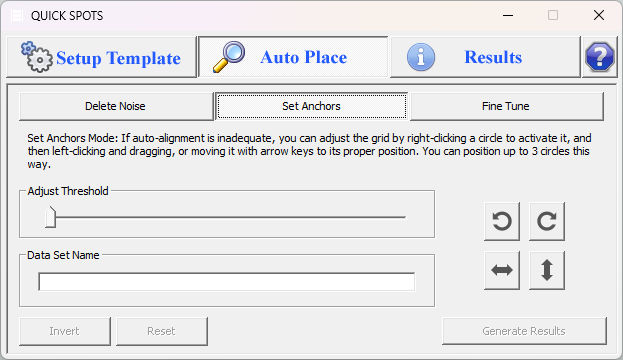
Although each array is manufactured under a tightly controlled process, the spots may not be positioned perfectly on the array, and positioning may differ from array to array. Thus, a way to accurately align the circles in the template to match the actual locations of each spot is needed. Depending on the quality and exposure level of your image and the brightness of the spots, Quick Spots may be able to find the correct alignment automatically. If not, the Auto Place tab contains several tools to ensure that you will be able to align the template quickly and easily.
« Continue to Template Alignment | Invert Image Brightness »