
QuickSpots Antibody Array Analysis Documentation
Index » Auto Place TabAdjust Threshold

Often, all that will be needed to fix a misaligned template will be to adjust the threshold used to identify spots in your image. You can quickly and easily try sliding it in both directions to see which produces the best alignment.
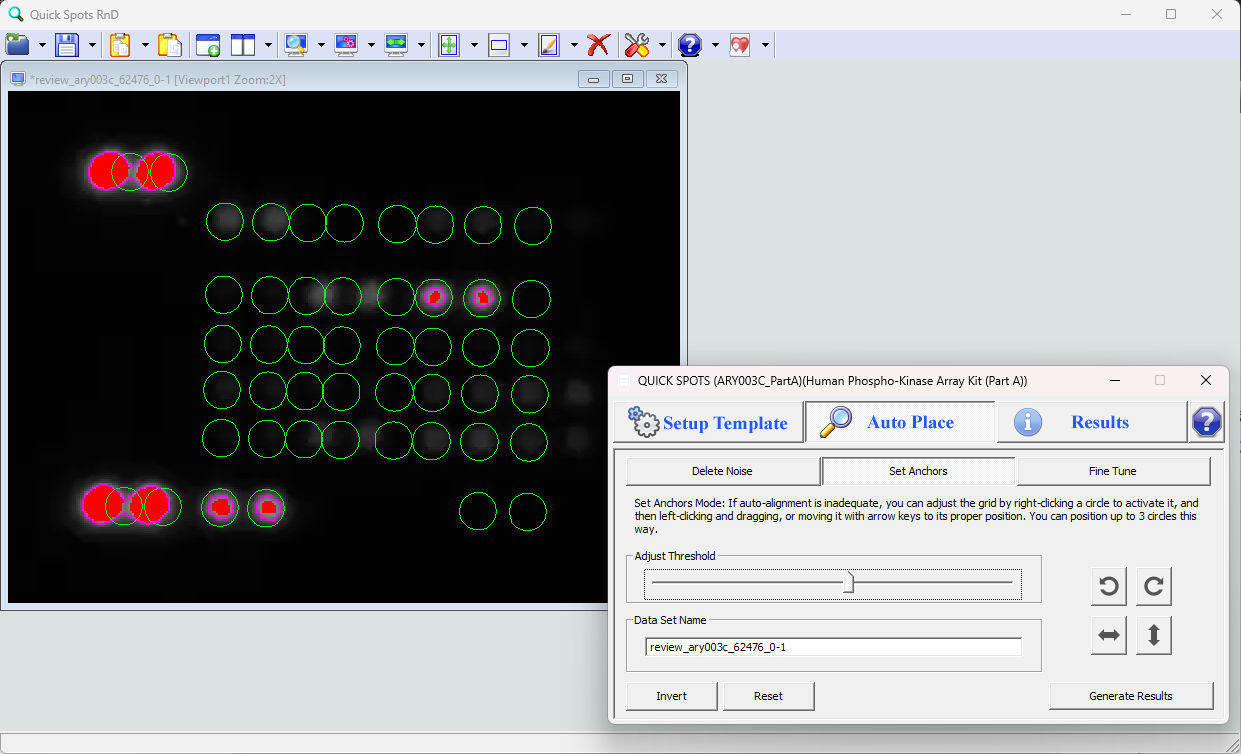
In this image, the slider has been dragged to the right until the largest spots became separated. However, notice that only four of the lighter spots are being recognized.
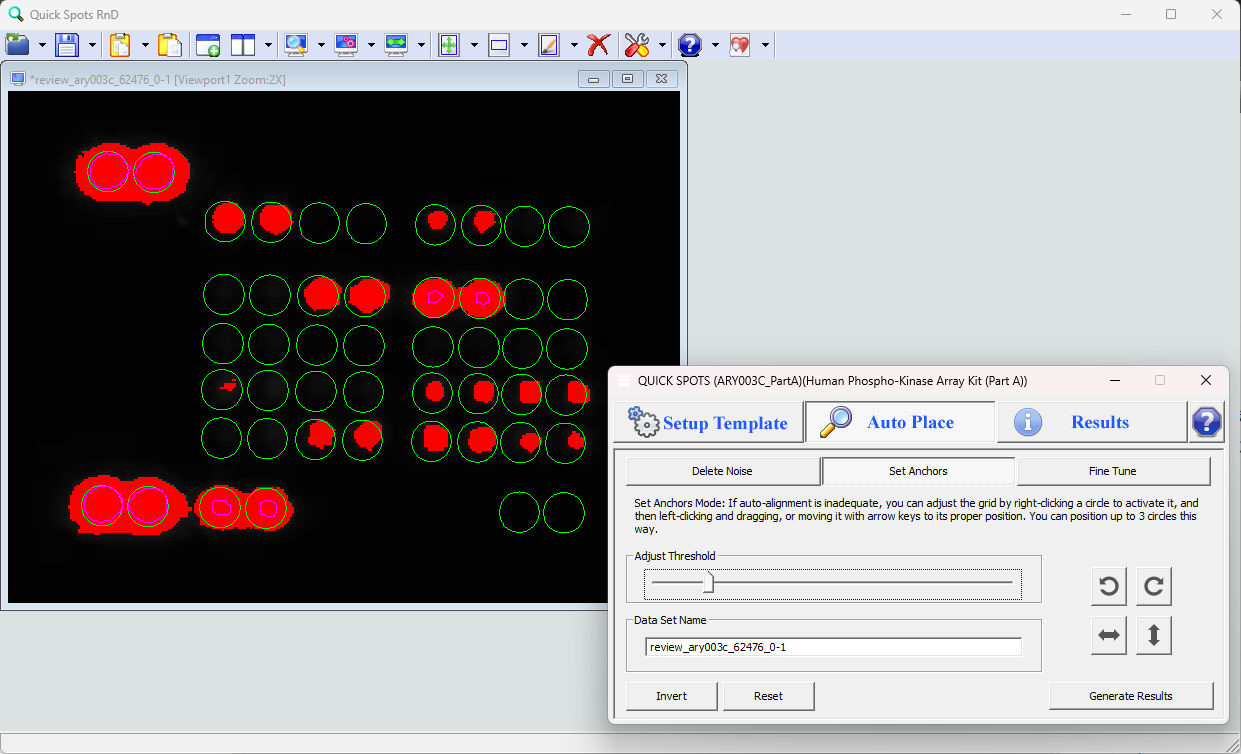
Here, the slider has been moved left to help identify more of the faint spots. This has caused the more exposed spots to merge together.
Each method has its advantages and will work better than the other in some circumstances. If neither results in proper alignment, then it is usually best to move it to the left to identify a large number of spots without making too many of them merge together, and then move on to setting anchors.
Note: the blobs created by adjusting the threshold are used only to help align the template circles. Their size and number has no other significance. Only the circles are relevant to the analysis.