
QuickSpots Antibody Array Analysis Documentation
Index » Auto Place TabDelete Noise
If markings on your image other than spots, or spots that have merged together are confusing Quick Spots as it attempts to align your template, you can use Delete Noise mode to delete the troublesome blobs. To do so, right-click the “noise” blob to select it, and then left-click it or press the delete key on your keyboard to delete it.
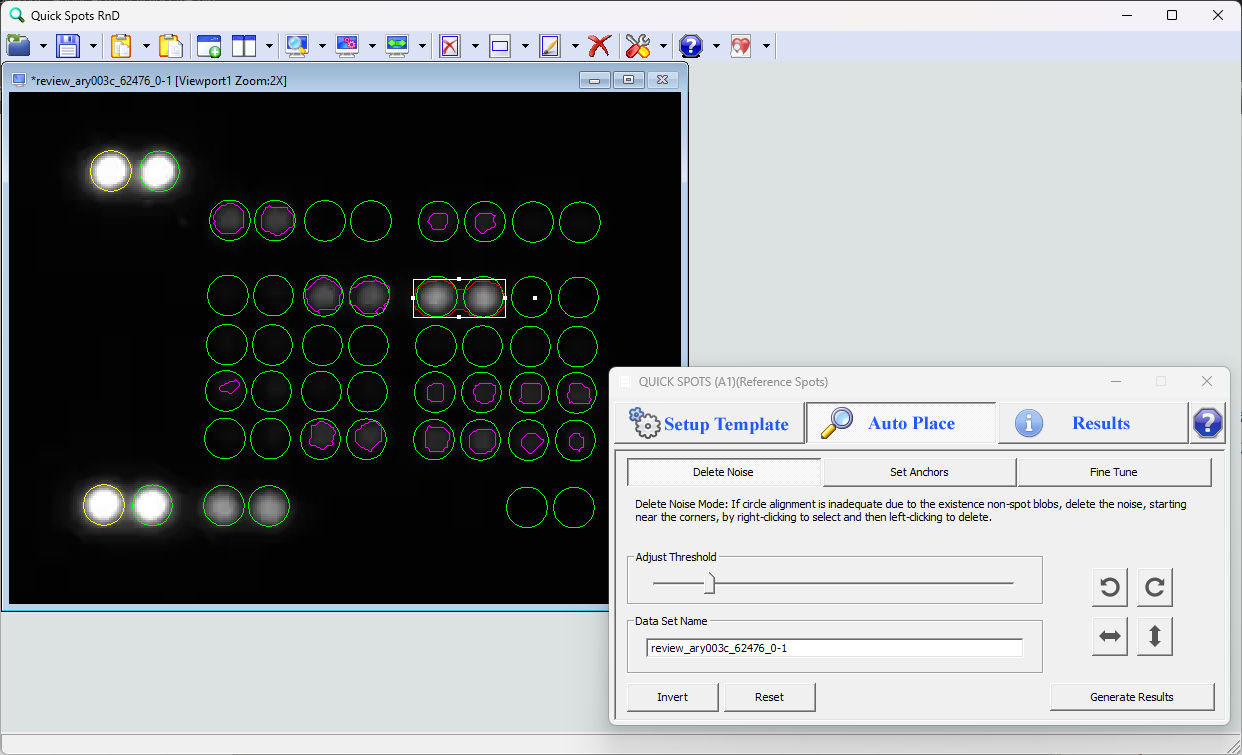
In this example, two blobs that have merged together have been selected and will be deleted. The circles for the corresponding spots will remain, and the image data will still be processed correctly.
« Set Anchor Circle Positions | Fine Tune Individual Spot Alignment »