QuickSpots Antibody Array Analysis Documentation
Index- Select Array Model
- Open Your Array Image
- Rotate or Flip the Image As Needed
- Select the Desired Portion of Your Image
- Continue to Template Alignment
Template Setup Tab
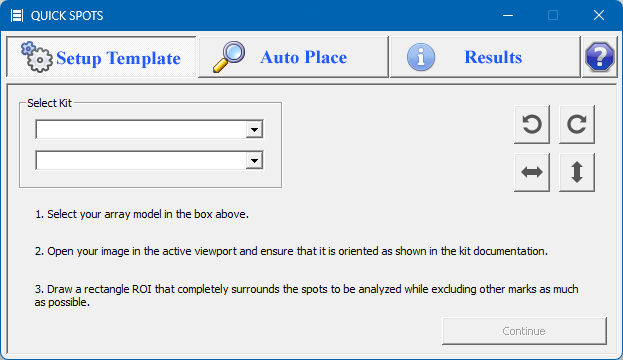
The first step is to select and setup the associated template for your array and indicate which portion of your image you wish to analyze. To activate this tab click the Setup Template button.