
QuickSpots Antibody Array Analysis Documentation
Index » Template Setup TabSelect the Desired Portion of Your Image
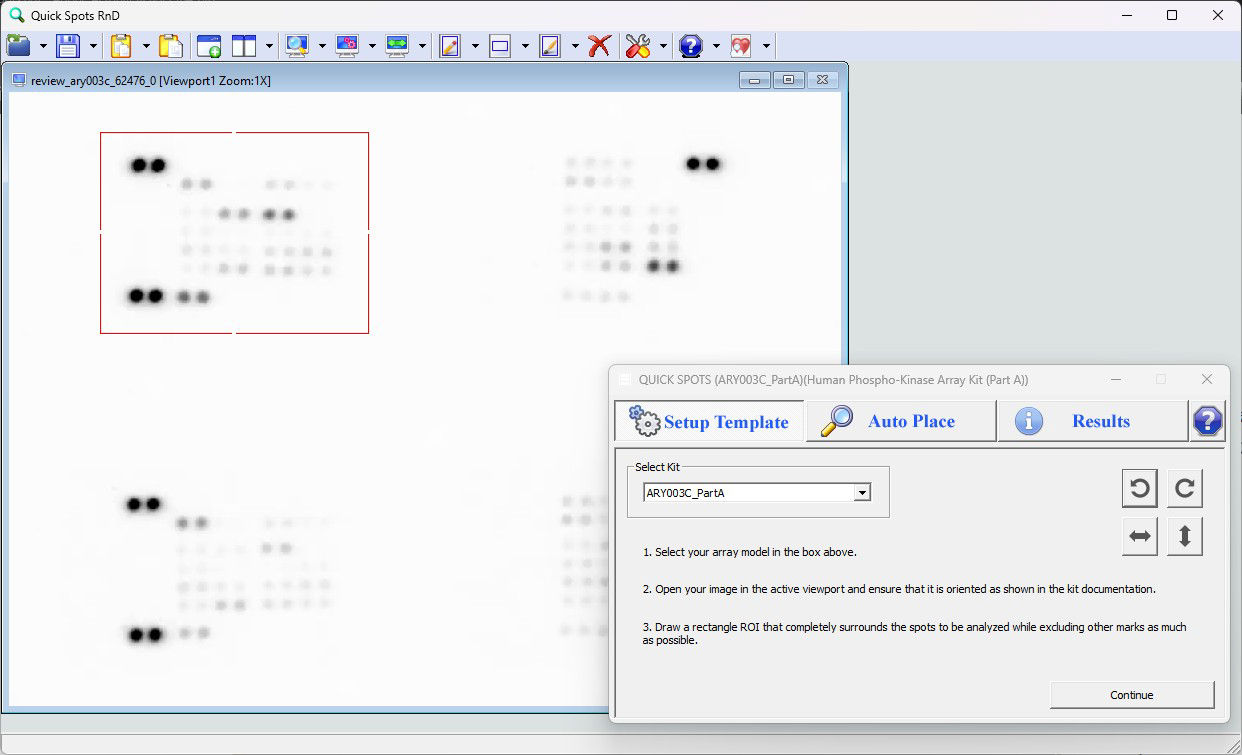
Using your mouse, draw a rectangle around the portion of the image that you wish to analyze. Each array must be analyzed separately. In the case of two-part arrays, each part must be analyzed separately.
The size of the rectangle need not be precise – what is important is to completely surround all of the spots on the array, while excluding other markings where possible. If it is not possible to surround all of the spots without including other markings, that is okay. Any problems caused by the other markings can be fixed easily in a later step.
Note: a rectangle must be drawn even if the image contains only a single array.
« Rotate or Flip the Image As Needed | Continue to Template Alignment »