
QuickSpots Antibody Array Analysis Documentation
Index » Results TabSelect Spot Pairs
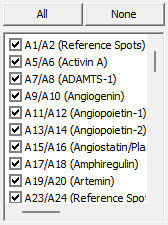
Use these controls to select which spot pair values appear in the data display window. You can quickly select all of the spots by clicking “All”, or deselect all of the spots by clicking “None”.
These selections only affect the data display window. They do not have any effect on which data is exported when clicking the Save or CSV buttons – in all cases, all spot values are saved when exporting.